

🧑💻 GitHub Profile🚀 GitHub Code
✦ Project Overview
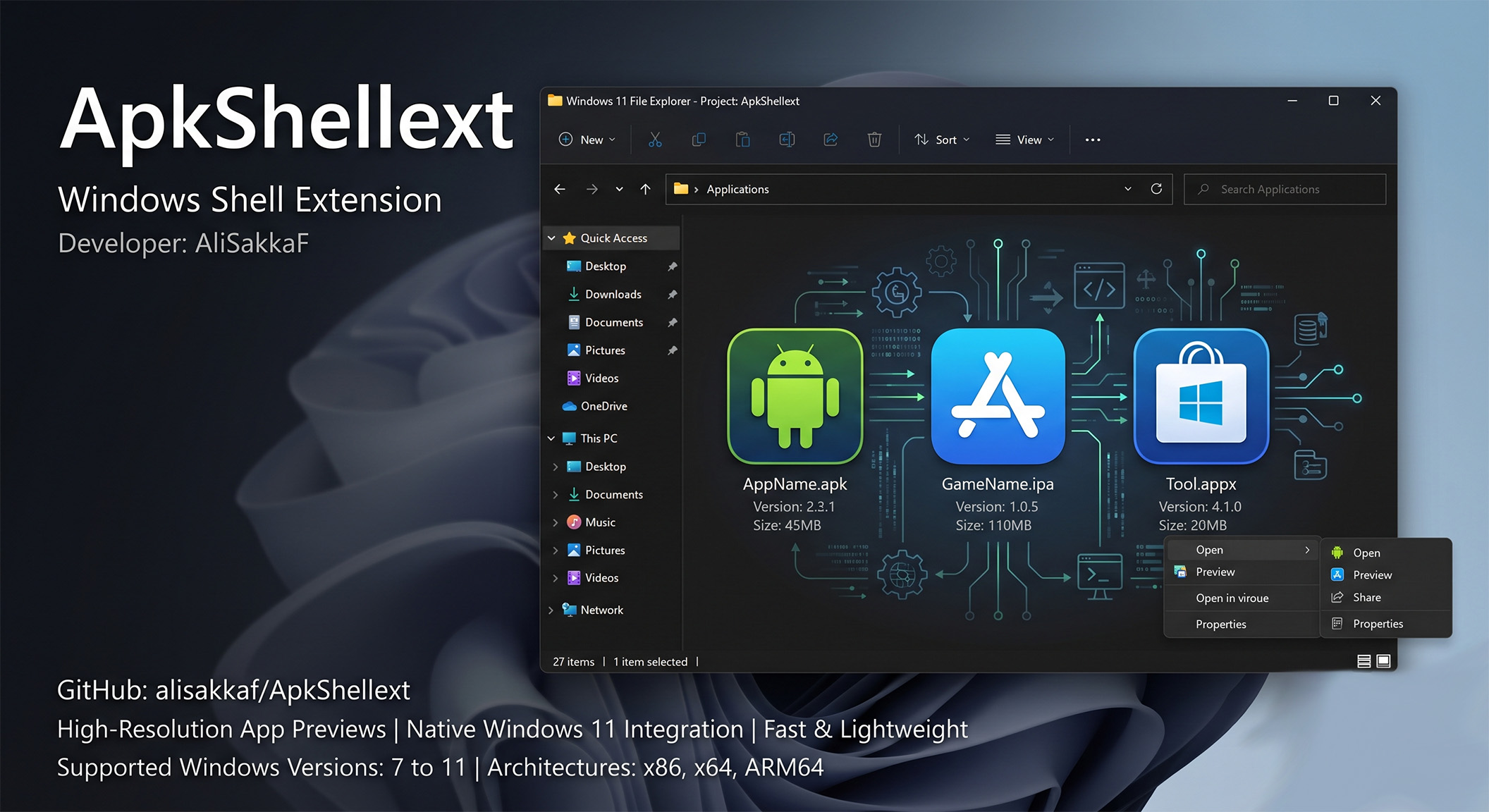
Managing mobile application backups on desktop computers has historically been a visual mess. Operating systems like Windows do not natively understand mobile packages, resulting in standard blank page icons for Android (.apk), iOS (.ipa), and modern Windows packages (.appx & .appxbundle). This makes finding specific application packages painful without manually checking filenames or invoking separate reader software.
ApkShellext solves this by registering natively in the Windows Shell as a COM (Component Object Model) server. Written in C# and compiled using the modern .NET Framework 4.8, it intercepts requests for files and extracts high-resolution icons directly from the packages in real-time, loading them natively into Windows File Explorer with zero background lag or overhead.
✦ How It Works: The Shell Extension Pipeline
ApkShellext hooks into the operating system using four distinct COM interface handlers:
- Icon Overlay Handler (
IExtractIcon): Decodes application resources and resolves the best-resolution icon. - Thumbnail Extractor (
IThumbnailProvider): Generates high-quality previews for larger grid view sizes (up to extra-large icons). - Info Tip Provider (
IQueryInfo): Customizes tooltips to display detailed metadata (App Label, Package Name, Version Code, Target & Min SDK) on mouse hover. - Context Menu Handler (
IContextMenu): Adds items to the Explorer right-click menu, providing redirect links to official stores and enabling automated bulk renaming patterns.
✦ Deep Binary Decoding Specifications
Instead of executing slow command-line utility tools, ApkShellext parses the binary headers of app packages directly:
- Android Manifest & arsc Parsing: Decodes Android's binary XML layout (AndroidManifest.xml) to locate resources. It maps variables using the resources table (resources.arsc) to extract localized labels (e.g. resolving @string/app_name). Supports rendering modern adaptive icons, including vector XML path drawings and WebP raster layers.
- Apple IPA Plist & PNG Decrush: Decodes Apple's binary property lists (Info.plist) and integrates a native PNG Decrusher. Xcode compresses PNG files with proprietary optimization parameters (reordering color channels and removing zlib headers). The decrusher restores these to standard ARGB formats for GDI+ rendering.
- Windows APPX Manifest: Extracts asset details and titles from modern Windows application packages.
✦ System Requirements
- Operating System: Windows 7, Windows 8, Windows 8.1, Windows 10, or Windows 11.
- Architecture Support: Full compatibility with x86, x64, and Snapdragon-powered ARM64 laptops.
- Prerequisites: Microsoft .NET Framework 4.8 Runtime or higher.
- Disk Space: Under 10MB of storage.
✦ v1.0.0 Rebuild & Technical Upgrades
This v1.0.0 release is a complete refactoring of the project to improve reliability and remove old developer conflicts:
- .NET Framework 4.8 Upgrade: Recompiled all projects to leverage modern garbage collection optimizations and stable thread execution.
- Dynamic Watermark Engine: Replaced static overlays with an active measurement scaling loop. The watermark size dynamically recalculates based on the grid view to prevent overlapping.
- 8-Directional Outlined Shadow: Traces overlay text in 8 directions with an alpha-blended black brush, ensuring text is 100% readable on both dark and light backgrounds.
- Non-Disruptive Compilation Flow: Resolved compiler file-locking issues, enabling developers to update files without locking errors.
✦ Step-by-Step Installation Guide
- Download the compiled release ZIP package from the link below.
- Extract the ZIP contents to a permanent folder on your drive (e.g.,
C:\Program Files\ApkShellext). - Right-click install.bat and select Run as Administrator.
- Confirm your watermark preferences in the command prompt.
- Restart Windows Explorer or run the included restart_explorer.bat.
✦ Registry Configuration Schema
Settings are stored in the Registry under HKCU\Software\ApkShellext:
Registry ValueTypeDescriptionShowAliSakkaFWatermarkREG_SZEnables/disables the overlay watermark on icons.ShowOverLayIconREG_SZDisplays small overlay badges representing app platform.EnableThumbnailREG_SZEnables rendering of large previews in File Explorer.✦ Troubleshooting & Diagnostics
Icons appear blank or don't refresh after installation
Run the restart_explorer.bat included in the release folder as Administrator. If icons are still cached, clear the Windows Thumbnail Cache using Disk Cleanup (cleanmgr.exe), check "Thumbnails", and click OK.
I get "Access is Denied" when trying to build or replace the DLL
Windows Explorer locks registered COM DLLs. Run the uninstaller bat or use the file-renaming method (rename the locked DLL to .old, drop the new DLL in, and restart explorer).